
Orders and fulfilment
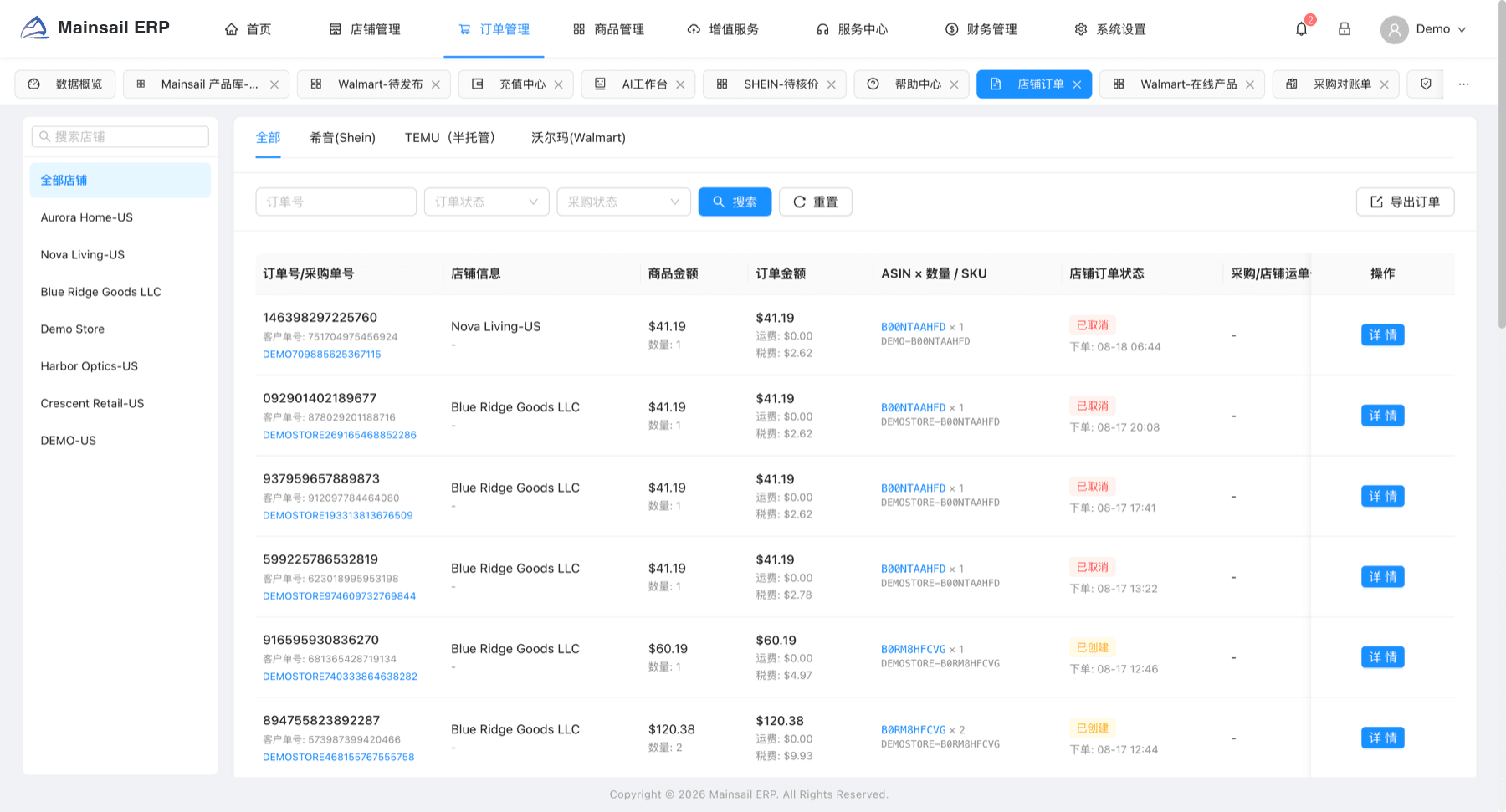
Store orders, marketplace orders, returns and PO returns share one workspace. Filter by store, order status or procurement status, and read amounts, SKUs, tracking and order time on a single row.
Built for Walmart, SHEIN, TEMU and Amazon sellers
Mainsail ERP connects sourcing, bulk listing, fulfilment and procurement reconciliation, so operations, buyers and finance work from one set of records.
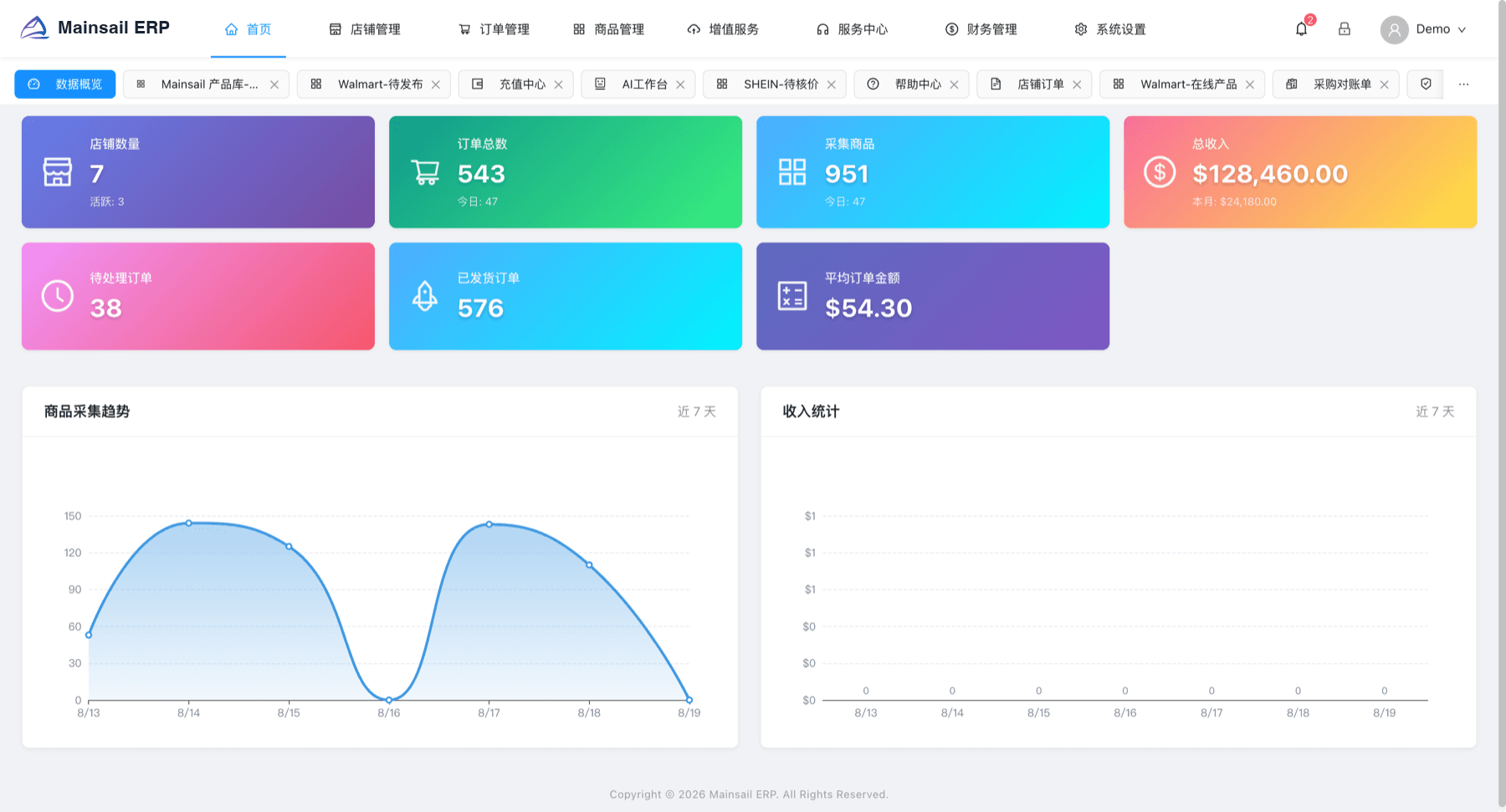
Listing fields, price review and shipping semantics are modelled per platform, so operators stop switching between seller back offices.
How it works
These are not four separate tools. Each stage hands its result to the next one, on the same record.
Products captured from Amazon land in the sourcing library. AI retouching produces listing images, and blacklist rules block risky items before they move on.
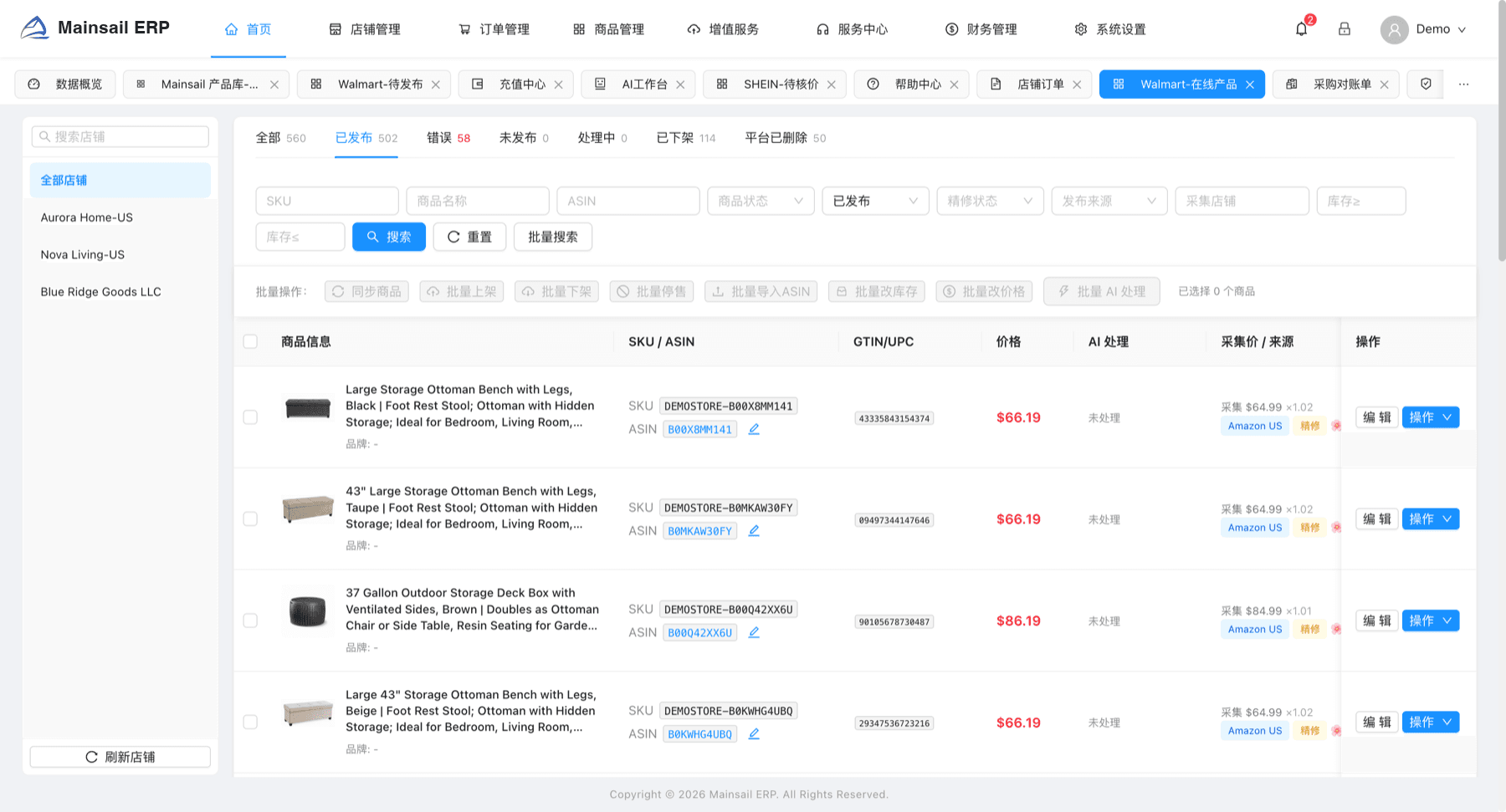
Pending products are organised per platform. Bulk repricing, stock edits and publish queues run in the background, with review results returning to the same view.
Store and marketplace orders arrive in one workspace, where procurement status, tracking numbers, returns and refunds stay attached to the order.
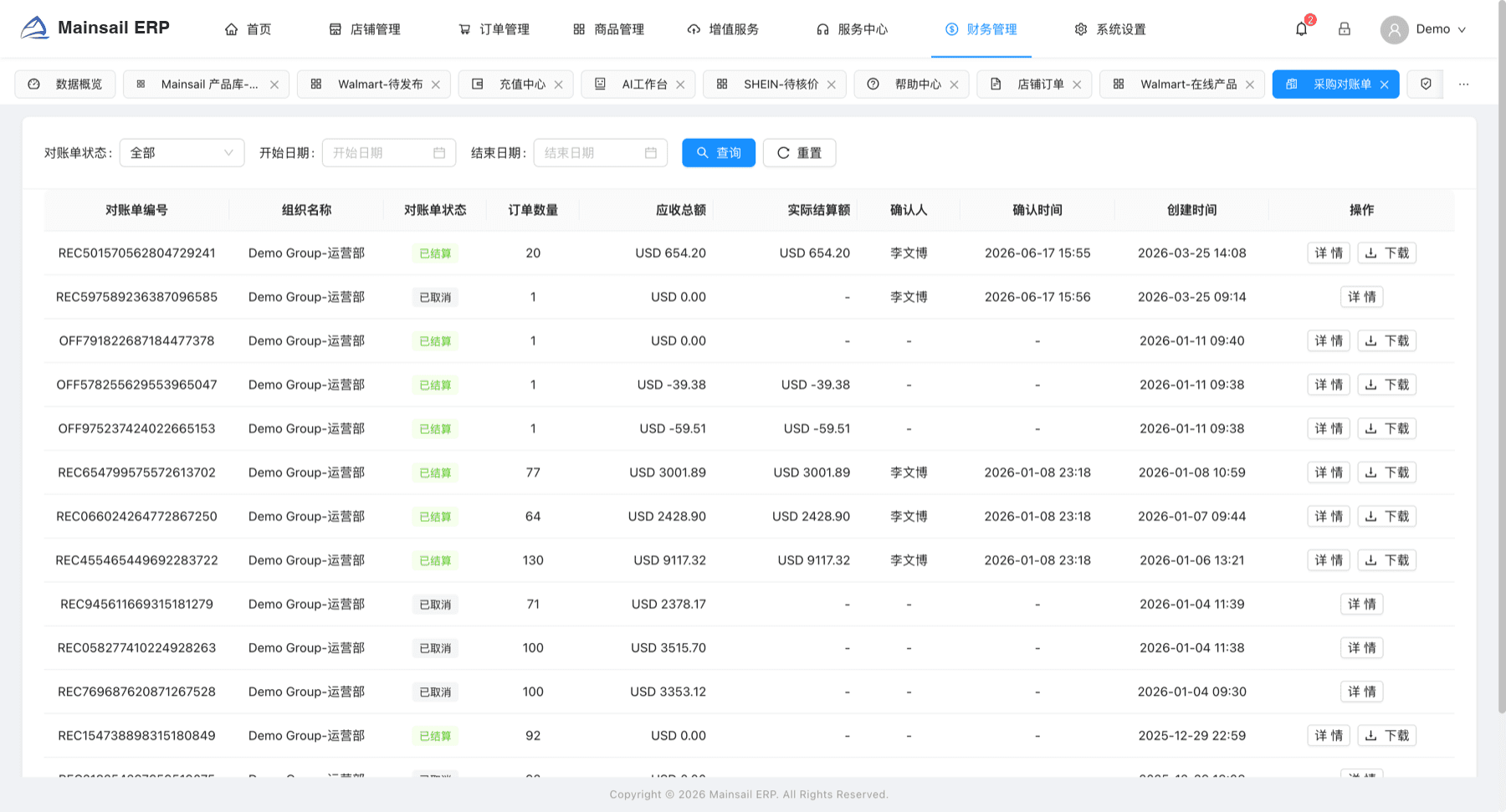
Order settlement and procurement statements are generated per cycle. Approver, timestamp and amount differences are all recorded and exportable.
The split follows real roles: operators watch listings and orders, buyers watch supply and statements, finance watches settlement, risk watches infringement.
Store orders, marketplace orders, returns and PO returns share one workspace. Filter by store, order status or procurement status, and read amounts, SKUs, tracking and order time on a single row.
Warehouse purchase confirmation, supplier quotes, PO returns and statements move along one line. Every statement records the receivable, the settled amount, the approver and the timestamp.
Pending, in review, published and rejected listings live in separate tabs, while bulk repricing and publish queues run in parallel.
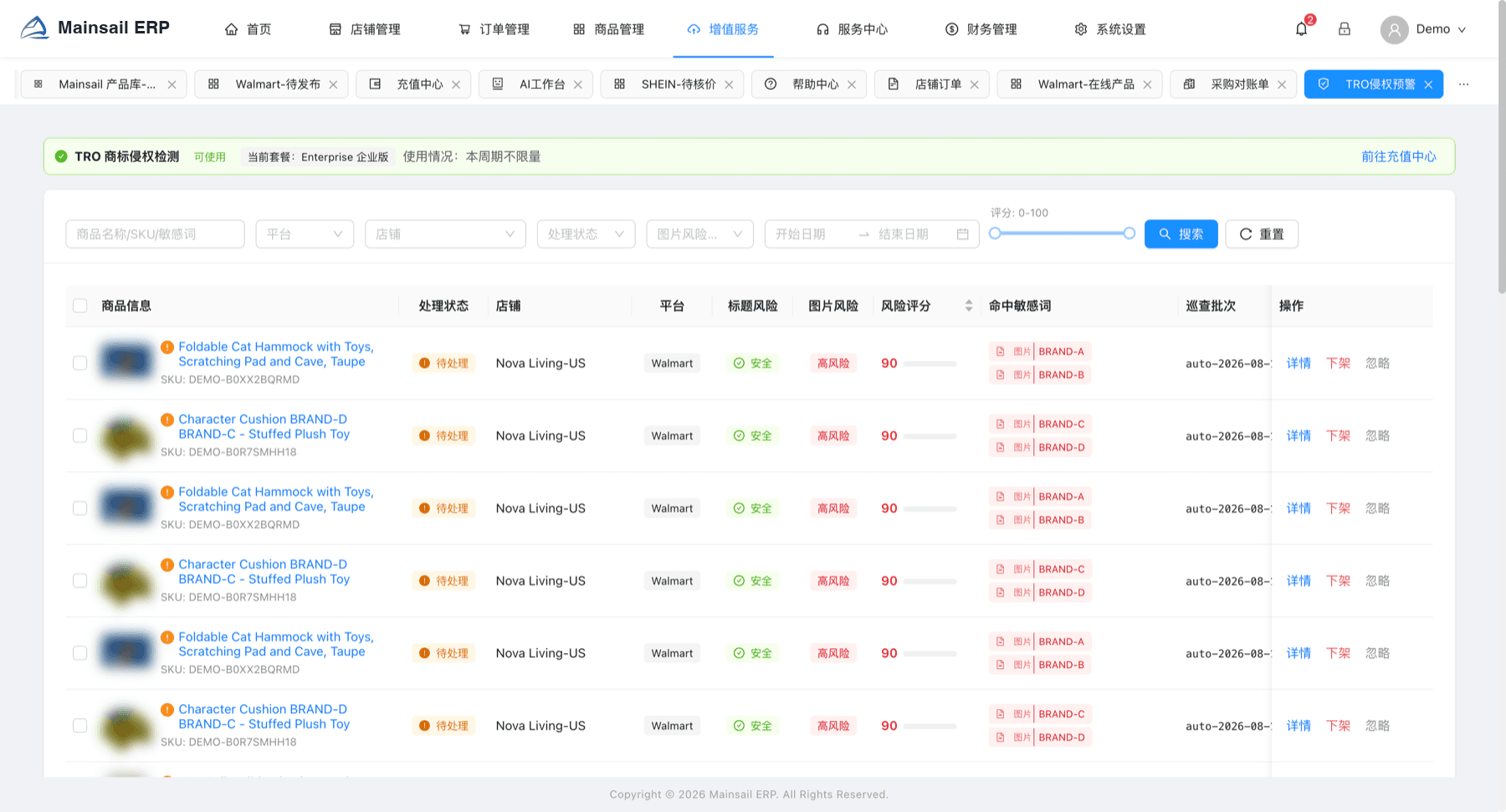
TRO detection sweeps live listings in batches. Title risk, image risk and matched keywords produce a risk score, with takedown available inline.
AI retouching bills by credits, the risk engine flags exposure, and ASIN monitoring plus scheduled patrols keep running in the background.
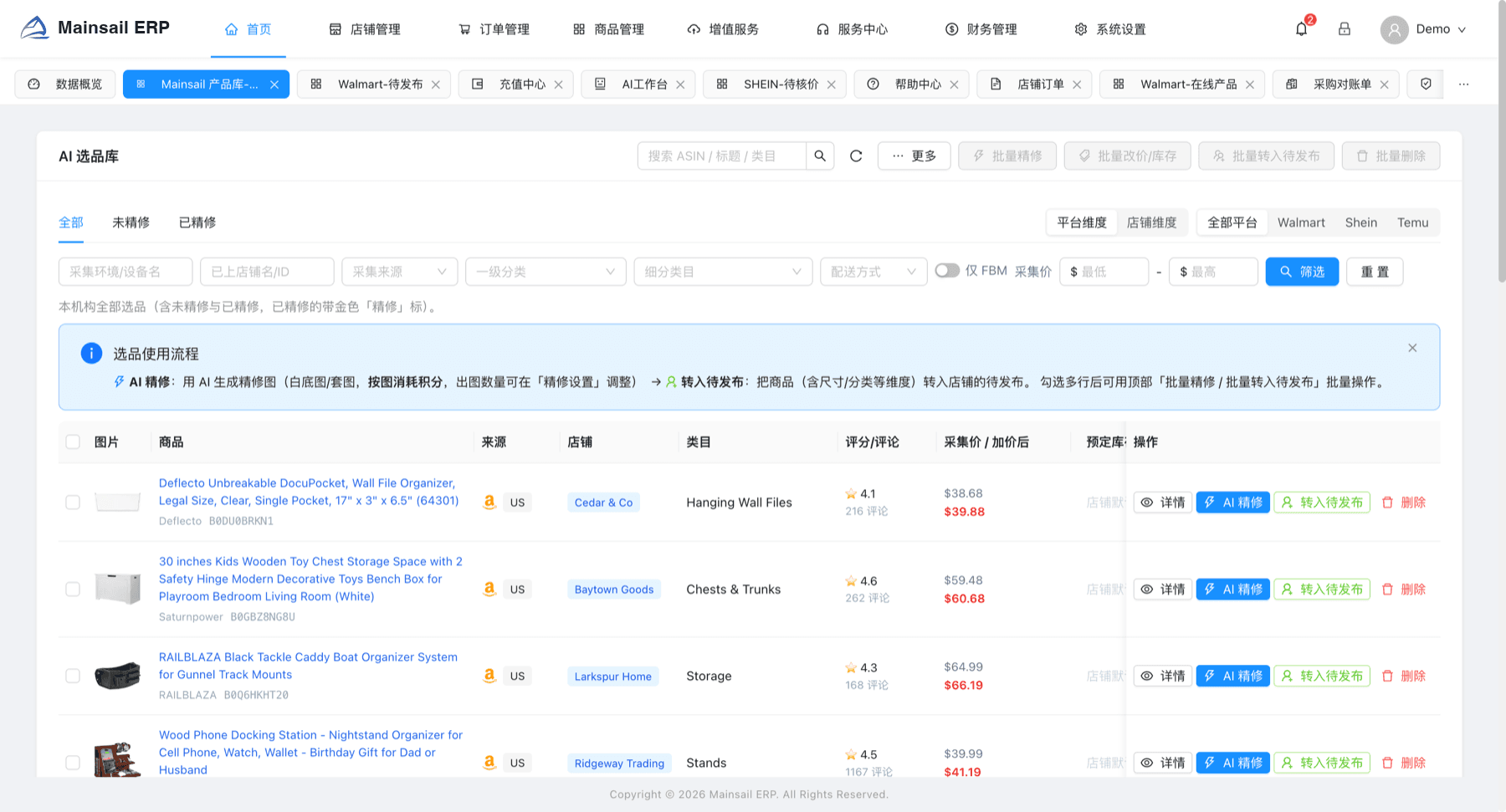
The sourcing library puts capture environment, source store, category, rating, review count, capture price and marked-up price on one table, so the decision happens before anything is pushed to a store.
Products captured by the client land in your organisation library, viewable by platform or by store.
AI retouching produces white-background and lifestyle images, billed by credits, with output volume set in your retouch settings.
Select rows and move them into a target store queue, carrying size and category attributes along.
Security and governance
Data is scoped by organisation at the query layer, identity comes from the signed token rather than the request body, and every sensitive action leaves a record.
Most teams go live on the first marketplace within a few weeks, then add platforms one at a time.
Authorise marketplace accounts and import existing listings and orders.
Set roles, approval steps, price rules and blacklist rules to match how your team already works.
Go live on a single marketplace, verify listings, orders and statements end to end.
Add the remaining platforms and stores, then turn on patrol and monitoring add-ons.
Share your platforms, store count and where the process breaks. We will walk you through the parts of Mainsail ERP that apply.